
Properties
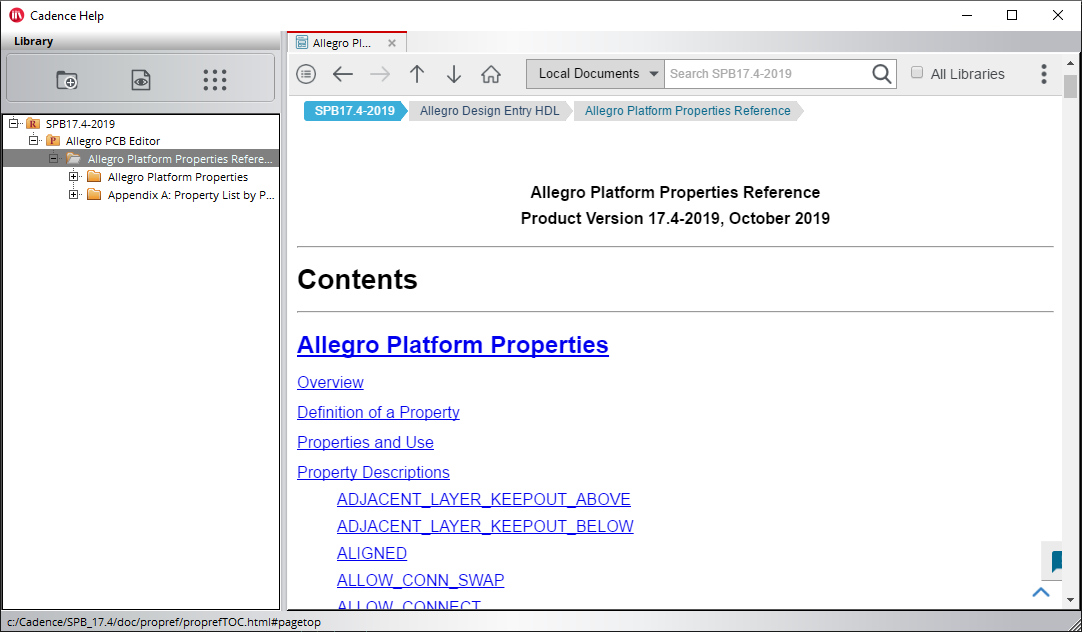
Properties can be assigned to “any” of the design object types in PCB Editor, including “Drawing” – the design itself. Some properties, like “Fixed” to “pin down” an object, can be assigned to multiple object types and other properties are specific to one object type. Many of the properties that can be assigned to Nets, like “Min_Line_Width” behave in the same manner as overrides in the Constraint Manager. For more information from within PCB Editor choose Help – Documentation then click the Show Documentation icon (first icon on the left), then expand the + sign next to Allegro PCB Editor, then double click Allegro Platform Properties Reference. If you then click the PDF button a PDF opens showing a list of all the available properties..
DFx (Manufacturing) Rules
PCB Editor has a number of Manufacturing rules in the Constraint Manager. These rules exist to prevent common manufacturing violations from making a number of “rounds” between PCB Designer and PCB Fabricator to resolve issues during design checking. These rules are applied independently of any design rules and are based upon “what” the fabricator requires to ensure that the board can be fabricated.
There are some example manufacturing rules available in the installation. These can be loaded by running Setup>DesignTrue DFM Wizard from the main menu. It would also be possible to take a copy of the provided rule sets and modify them, if required.
There are a number of fabricators that provide manufacturing rules in exchange for quoting for the business of fabricating boards. Users can access these fabricators, and their rule sets, by creating an account at: https://pcb.cadence.com/dfm_customer/signin
All content Copyright 2022 Parallel Systems Ltd.