
All content Copyright 2022 Parallel Systems Ltd.
1. Select Export>PDF form the top menu.
2. In the form that appears, left-click>Select All to select all of the films in the list and also left-click>Filled Pads
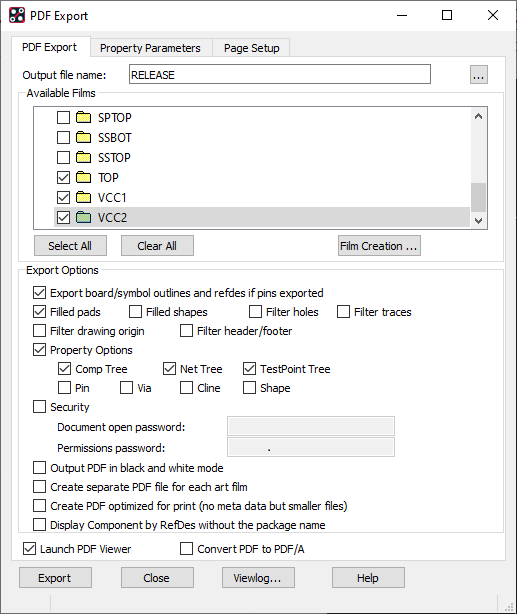
(This screen shot may show more available films than you have setup in previous labs and also doesn’t have all of the films selected)
3. Left-click>Export to generate the PDF and open the PDF in a viewer.
End of Lab
All content Copyright 2022 Parallel Systems Ltd.