
All content Copyright 2022 Parallel Systems Ltd.
Reference Schematic:
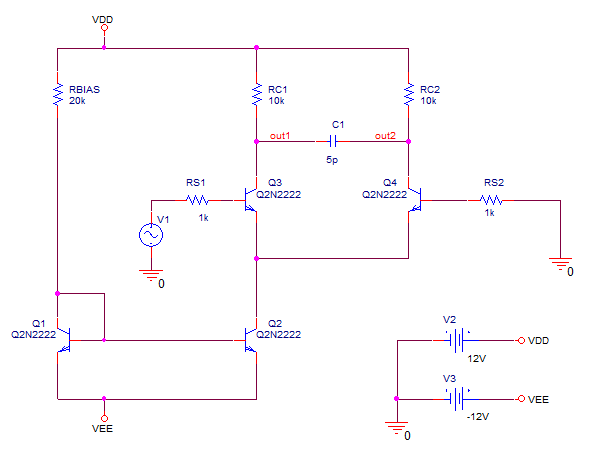
1. Open the example project from the C:\OrCAD_Training\PSpice directory.
2. Create a new simulation profile called Noise.
3. Configure an AC Sweep that sweeps the frequency from 100kHz to 10GHz by decades with 10 points per decade.
4. Enable the Noise Analysis and configure it as shown in the picture following. These settings indicate that PSpice will calculate the noise contributions and total output noise at net OUT2 and equivalent input noise from V1. This will generate an entry in a table in the output file for every 30th frequency.
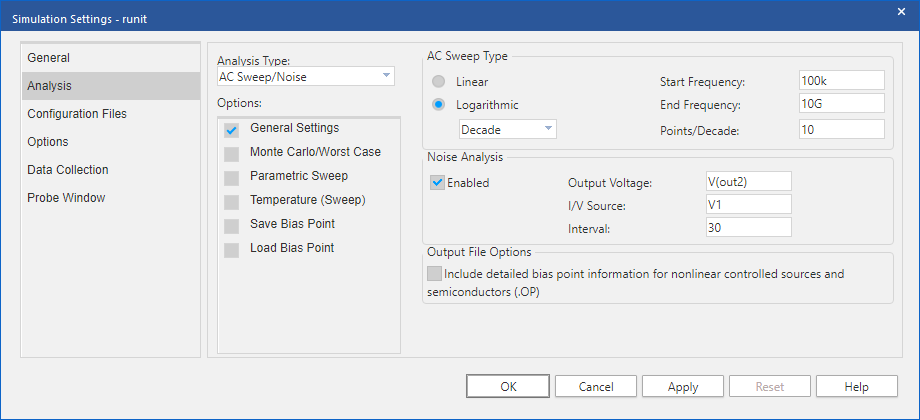
5. Left-click>OK to save the profile.
6. Run the simulation.
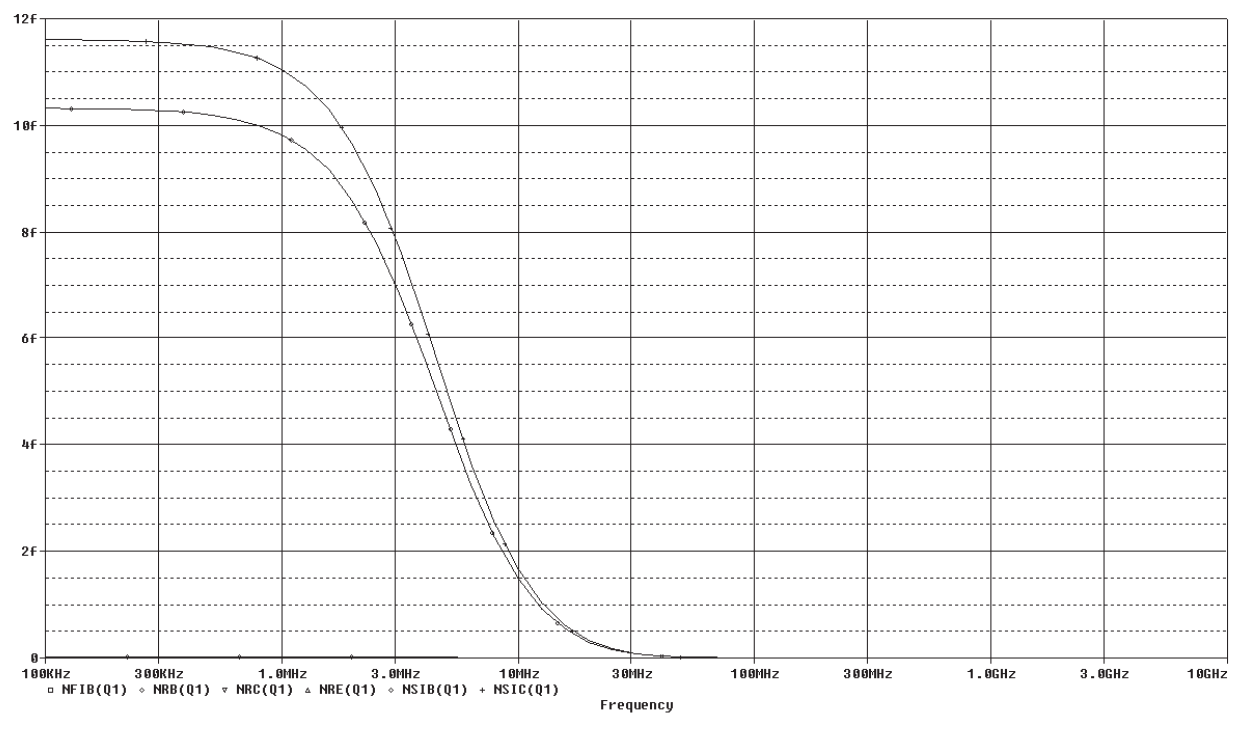
7. In the Probe window add the traces NFIB(Q1), NRB(Q1), NRC(Q1), NRE(Q1), NSIB(Q1) and NSIC(Q1). This shows the individual noise contributions form the Q1 device.
8. Choose View>Output File to examine the tables generated in the output file for each noise source.

End of Lab
All content Copyright 2022 Parallel Systems Ltd.