
All content Copyright 2022 Parallel Systems Ltd.
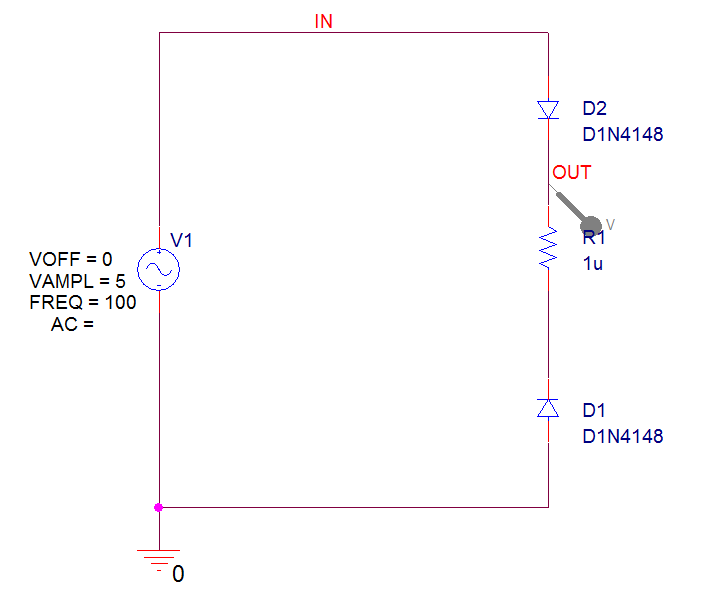
1. Open the project called DiodeAccuracy from the C:\OrCAD_Training\PSpice folder
2. Run the simulation and the simulation will fail to converge.
3. Go back to the Capture window and Edit the Simulation Profile, left-click Options on the left hand side and left-click AutoConverge under the Analog Simulation group and left-click the Auto Converge check box to enable all of the Auto Convergence options.
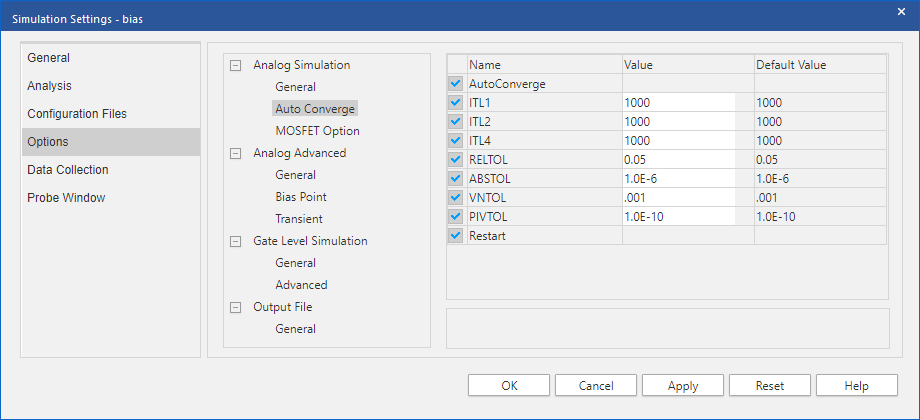
4. Left-click the OKs to accept the changes and Run the simulation again. Note that the simulation runs correctly this time.
(Restart the simulation if the previous simulation is still running)
5. Because of the small values in this circuit, PSpice needs more “guesses” to be able to resolve the circuit successfully. This can be demonstrated by returning to Capture and the AutoConverge settings, this time un-check all of the Auto Convergence options apart from ITL4 and Restart, set ITL4 to 500.
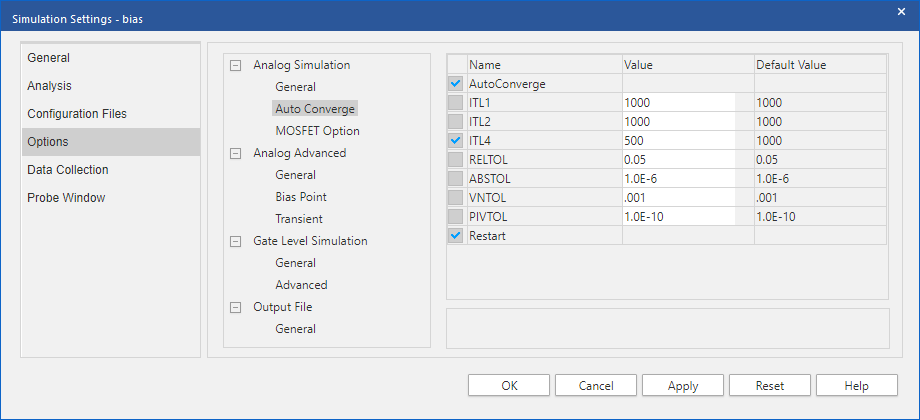
6. Run the simulation again and the circuit will still converge. (An ITL4 of 400 is about the minimum ITL4 for this circuit, lower values, a value of 300, for example, won’t get the circuit to converge)

End of Lab
All content Copyright 2022 Parallel Systems Ltd.