Multiple design files and revisions
Schematics, layouts, BOMs and outputs multiply with every iteration — and so does confusion.
Electronic design automation / Since 1997
PCB Design Data Management
EDM helps engineering teams manage PCB design data, revisions, libraries and manufacturing releases from one secure, collaborative environment.
Native integration with the OrCAD environment
The challenge
EDM gives teams a controlled and transparent way to manage design data throughout the PCB development lifecycle.
Schematics, layouts, BOMs and outputs multiply with every iteration — and so does confusion.
Without control, engineers overwrite each other's work and nobody knows which file is current.
Hand-assembled release packages invite errors that surface late and cost real money.
Why EDM
Keep schematics, PCB files, BOMs, Gerbers, datasheets and supporting project files together.
Control check-in and check-out, reduce conflicts and ensure teams always work from the latest approved data.
Use configurable roles and permissions to control access for engineers, managers, partners and reviewers.
Automatically generate and package the files required for manufacturing and downstream production.
Product overview
Track every change, compare revisions and roll back to previous versions when required.
Understand the relationships between PCB design files so project data remains synchronised as the design evolves.
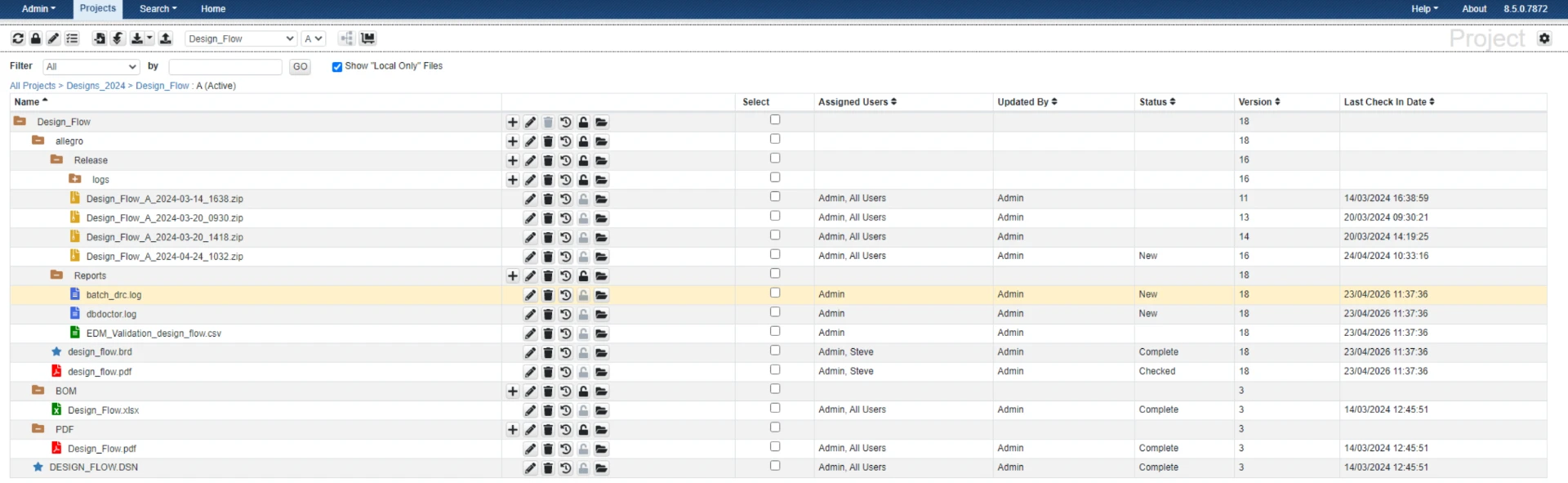
Manage schematics, PCB files, BOMs, Gerbers, datasheets, PDFs and other project documents together.
See project status, activity and ownership at a glance so managers and engineers stay aligned.
How it works
Engineers work natively in OrCAD with files checked out from EDM.
Changes are versioned automatically with full history and comments.
Managers and reviewers approve revisions with role-based access.
Manufacturing packages are generated and released accurately.
Book a tailored demo with a Parallel Systems specialist and discover how EDM fits your design workflow.