
All content Copyright 2022 Parallel Systems Ltd.
Start PCB Editor from:
Start (Windows Icon) >Cadence PCB 17.4-2019>PCB Editor 17.4
The PCB Editor Canvas opens.
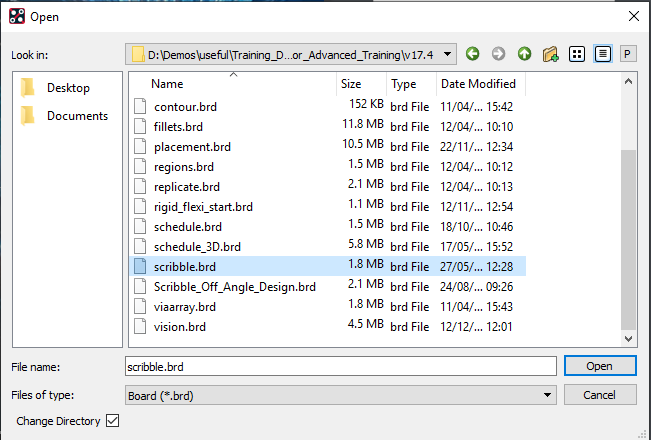
1. Select File>Open from the PCB Editor main menu.
2. If necessary, set the File Type for Board (*.brd)
3. Use the Browse button to navigate to the
C:\OrCAD_Training\PCB_Designer_Advanced directory, select the scribble.brd file and left-click on Open
The design will open with the board zoomed in on an area where there are two un-routed connections. These will be routed using the scribble router function
Routing will need to start from one the of the two pins on the BGA pin U5.C4.
4. Use one of the following methods to begin routing (do not click to insert break points).
Either, check that you are in Etch Edit mode then left-click the BGA pin or, select the Add connect icon on the toolbar or, Route>Connect from the menu
5. Move the mouse to get a piece of track hanging on the mouse and start Scribble Mode with right-click>Scribble Mode
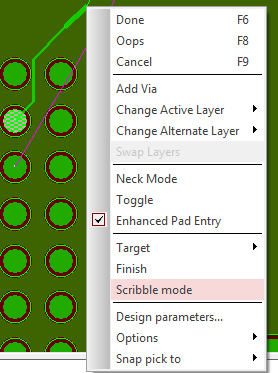
6. Now draw a path from the BGA pin on U5 to the SMD pin of U17. Left Click on the pin and the ”scribbled” path is converted to the orthogonal routing similar to the following screenshots
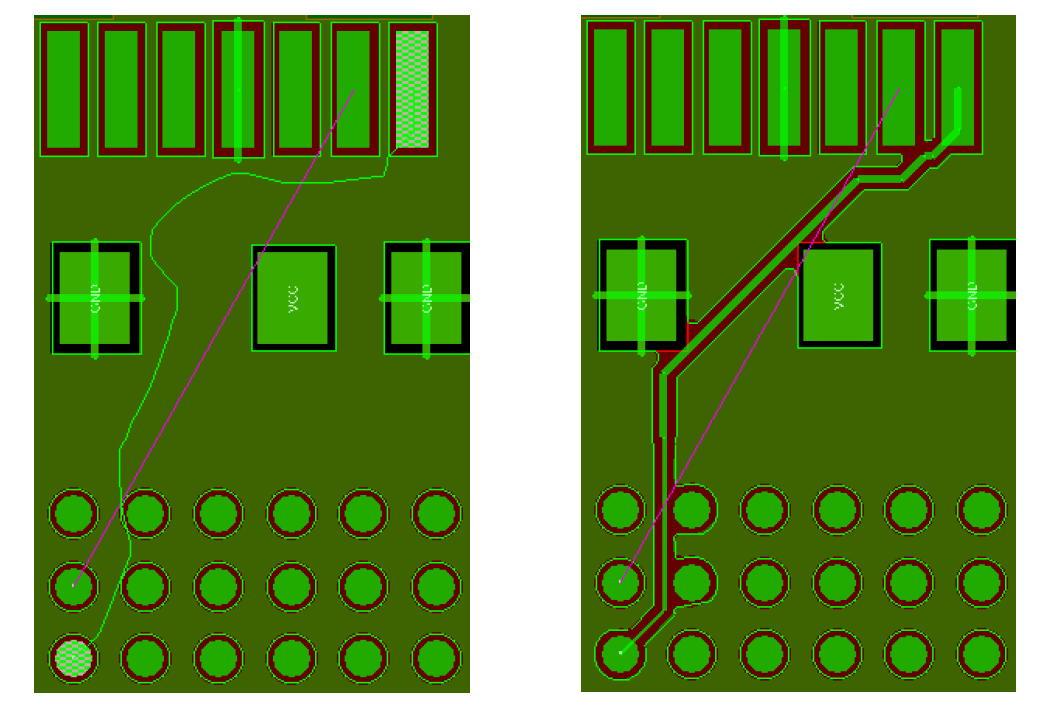
If the converted route does not meet your requirements, move the mouse cursor back to the item you want to change and reroute as required to create the new path.
Note that the scribble path may not cross itself.
See that, in the above example, there is not enough room to complete the remaining connection for the BGA pin after the scribble gets converted to a “real” trace.
7. Now start adding the remaining “rat” connection in scribble mode, hug the scribble route to “approximately” the existing route.
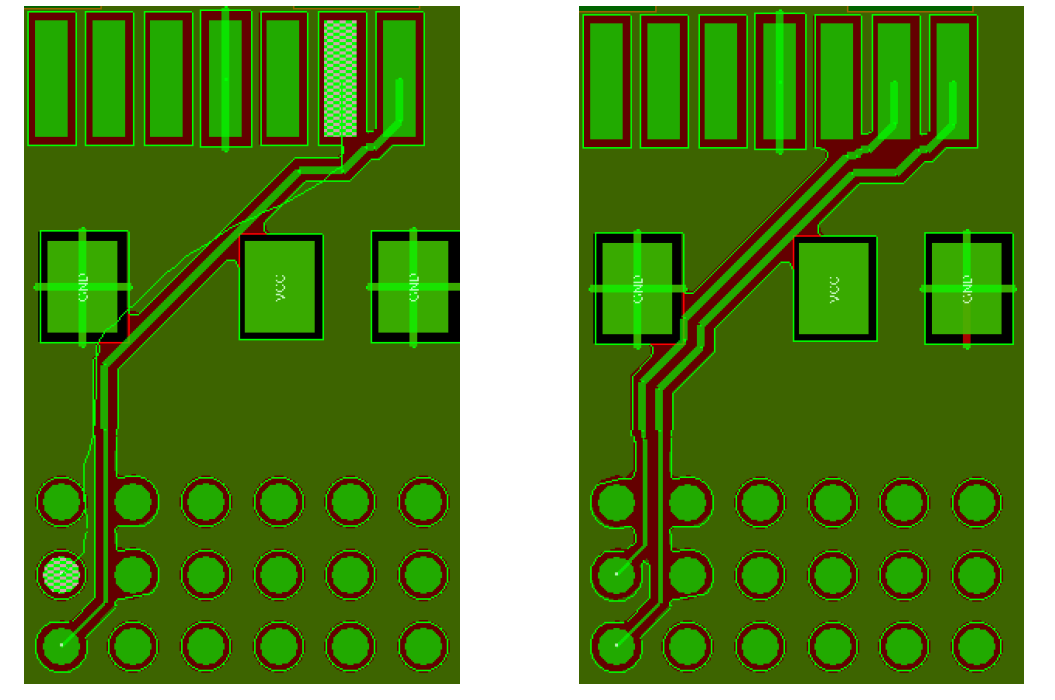
You may find that the routing added by the “scribble” is slightly different depending upon how the scribble was drawn.
The Scribble command uses the settings in the Options pane on the right of the screen. It therefore pushes the existing track to make the required space. Notice it only uses the minimum required space driven from the Constraint Manager line to spacing rules to scribble the next track as shown in the previous screenshot for the converted scribble.
8. If time permits, experiment further with the scribble functionality.

End of Lab
All content Copyright 2022 Parallel Systems Ltd.