
All content Copyright 2022 Parallel Systems Ltd.
1. Select Display>Show Rats>All from the top menu to display all ratsnet lines.
2. Zoom In to the MEM room area.
3. Select Place>Swap>Components from the main menu.
4. Left-click two parts for swapping, such as adjacent ICs in the MEM room at the upper right of the board.
5. Try swapping several other pairs of components and see whether you can reduce the complexity of the ratsnest.
6. Right-click>Done in the canvas to end the Swap command.
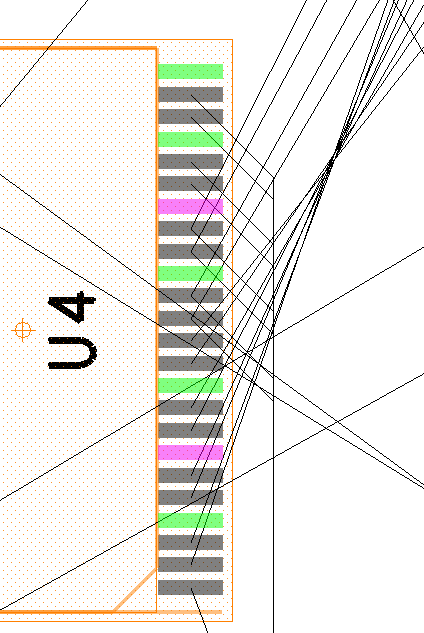
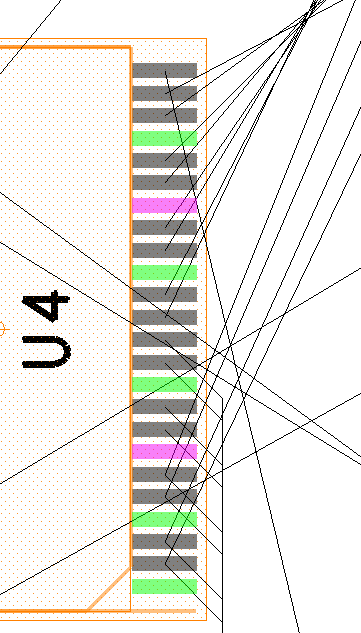
7. Zoom in to the area of your design where U4 has been placed. (Typically at the upper left)
8. Choose Place>Swap>Functions from the top menu.
9. Left-click on pin 30 of U4 (Check the pin datatip for the pin number)
10. Left-click on pin 40 of U4
11. Right-click>Next
Before
After
12. Right-click>Done
13. Choose File>Save from the Editor menu.
14. Select Yes to save the placed.brd design.
End of Lab
All content Copyright 2022 Parallel Systems Ltd.